
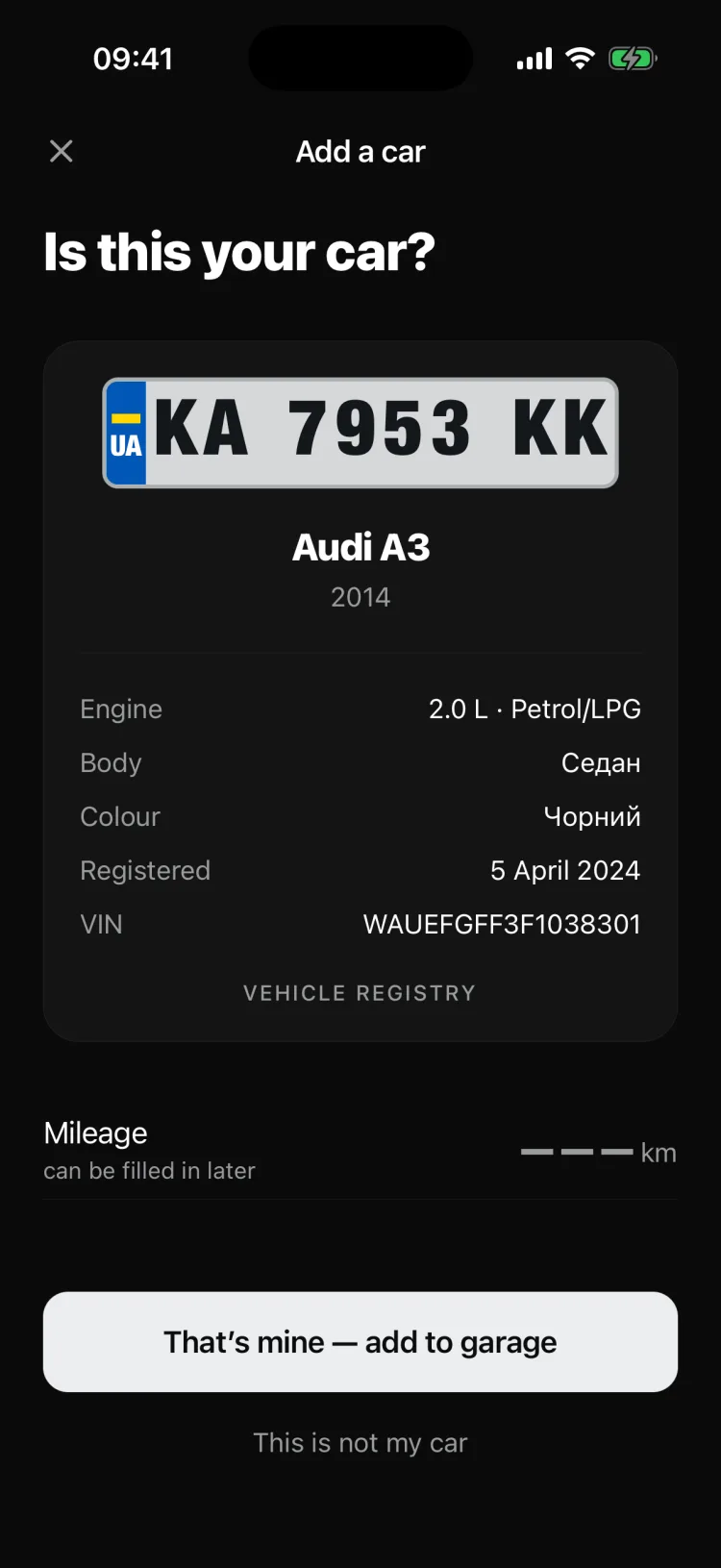
Add a car by its plate
We'll try to fill in make, model, year, VIN and body type from Ukraine's vehicle register. You can also go by VIN or pick from a catalogue of 387 makes.
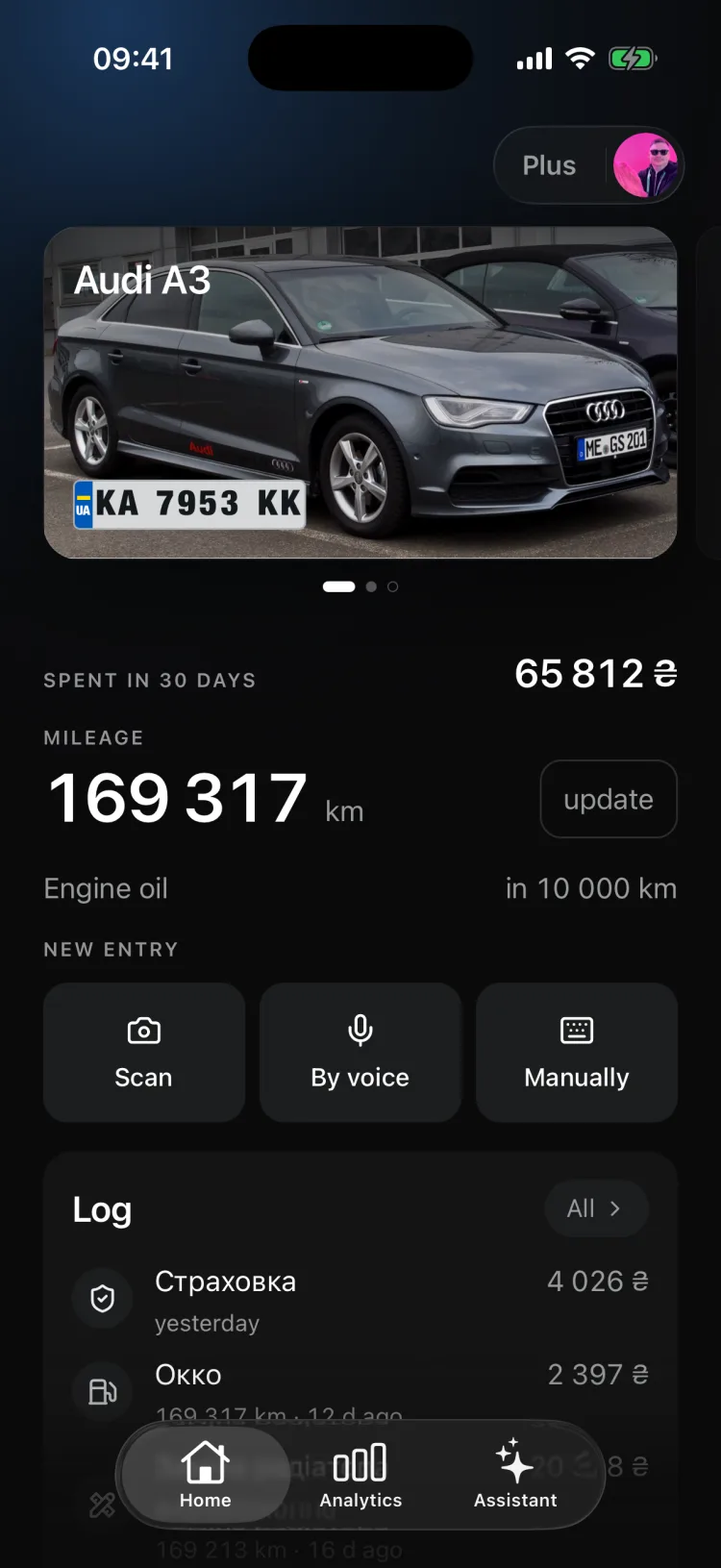
Deadlines, spending and service history collect themselves — from your receipts.
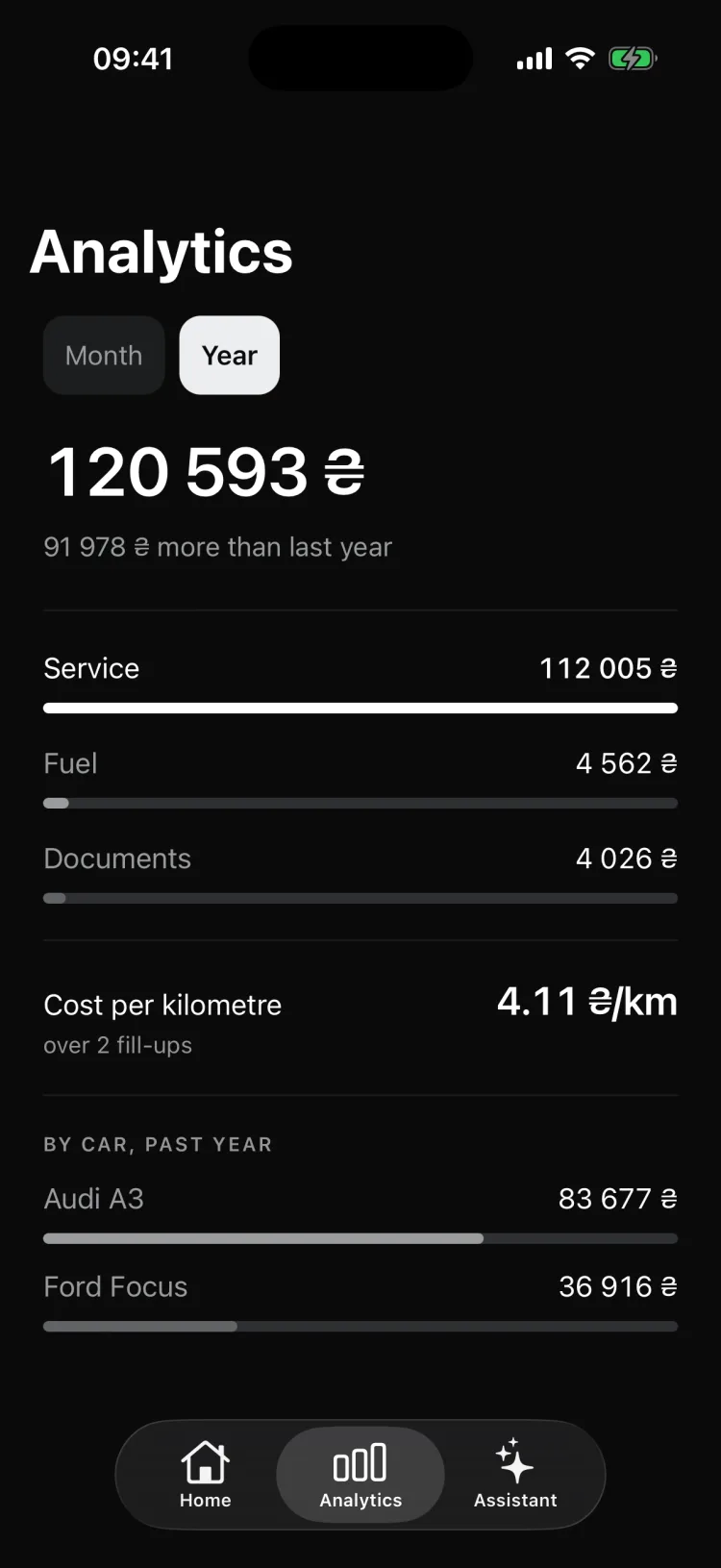
Cost per kilometre is a single number you can answer “is it time to change this car?” with. Next to it: how much went on fuel, how much on servicing, how much on paperwork — by month and by year, compared with the period before.
Calculated from your entries — no guesswork. Small wobbles stay quiet; implausible jumps aren't presented as discoveries.
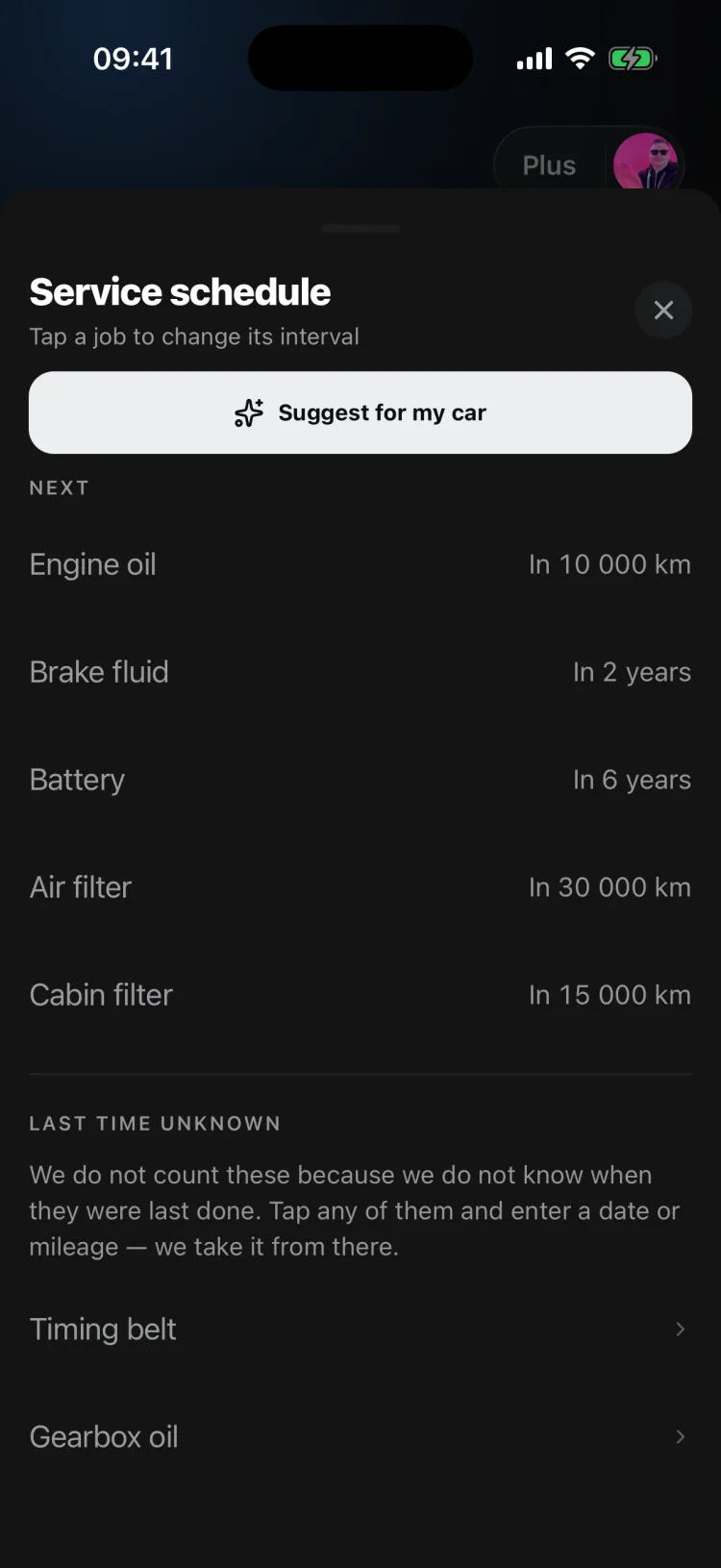
Most people remember the insurance the day before it lapses. AutoCapy reminds you a year ahead — and counts each job down by whichever comes first, kilometres or months. Eleven jobs, and the ones that don't apply to an electric or a diesel simply disappear.
Typical figures are common rules of thumb, not the schedule for your particular car. Intervals can be edited by hand, and “Suggest for my car” proposes intervals for your specific engine.
No expiry, 30 days “while selling”, or 24 hours “to show a mechanic”. Photos, specs and jobs with dates and mileage are visible. Spending isn't.
The new owner gets the jobs, fill-ups, mileage, photos and service schedule. Reminders and assistant chats stay with you.
A PDF with photos — to send or print. An Excel spreadsheet — every entry, spending by year and the service schedule. Without Plus — one export a month per car.
About a noise, about when to replace something, about what a repair should cost. Answers take into account your engine, mileage, overdue schedule jobs and up to 40 recent log entries with dates and amounts.
Add up to three photos to a question or dictate it. The conversation history is saved.
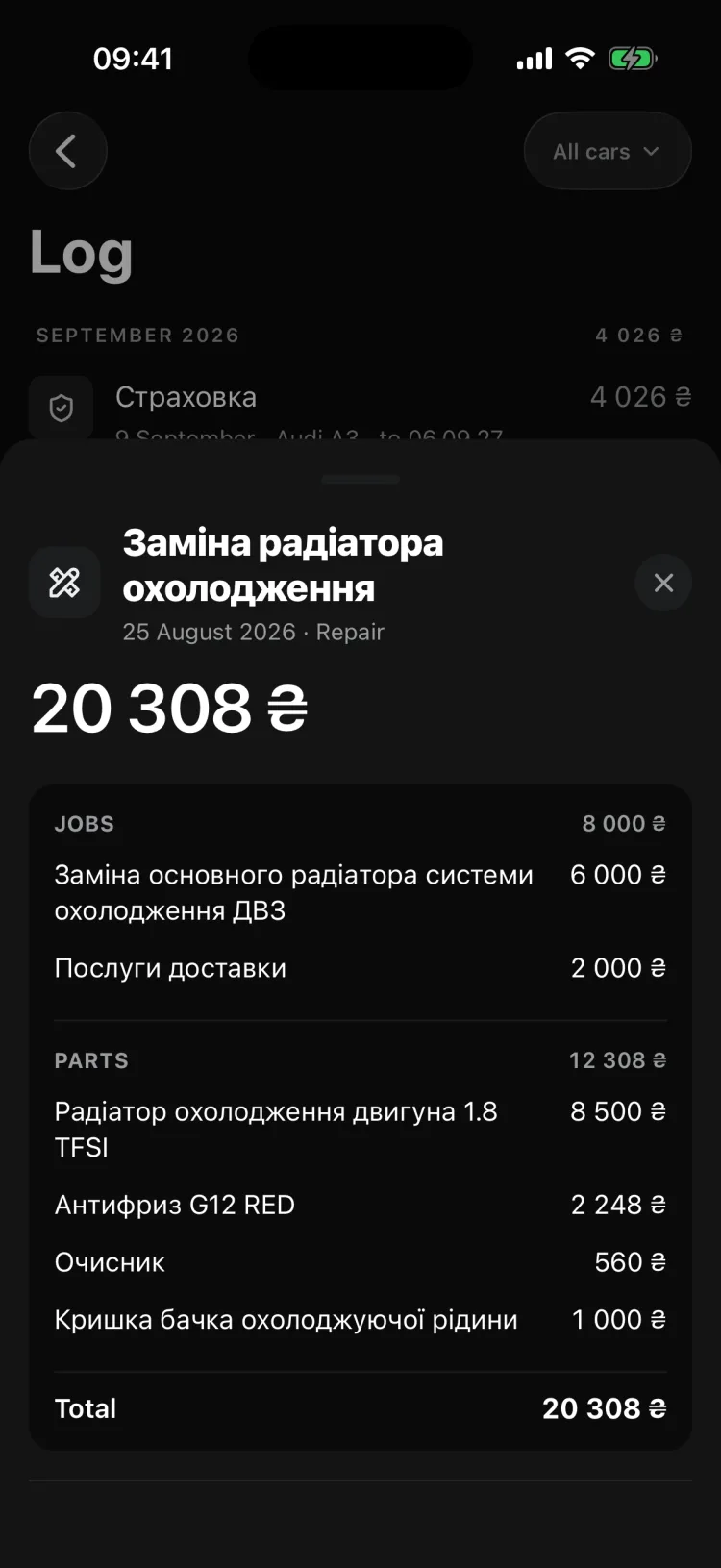
Up to 6 documents at once — jpg, png, pdf. A garage invoice becomes one Repair entry with a table of labour and parts; a fuel receipt becomes a Fuel entry with litres, fuel grade and station brand.
Fields it can't read stay empty: no zeros, no today's date slipped in. If the mileage on the receipt is blurry, the app asks instead of guessing.
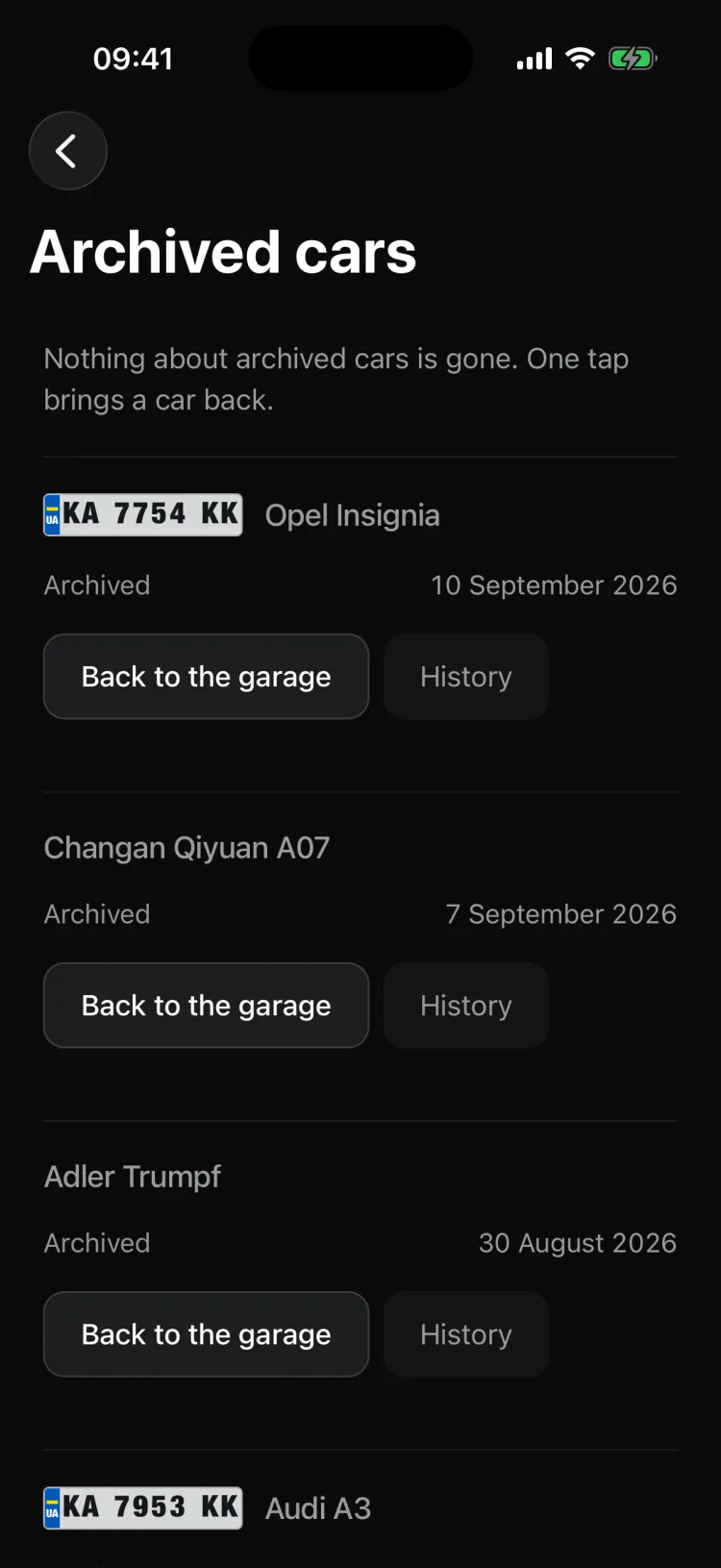
The family car, the work car, the one you sold — with its history. Photo, the real number plate and mileage on the card. Swipe between cars on the home screen: the first is your main car, and any car can become the main one.
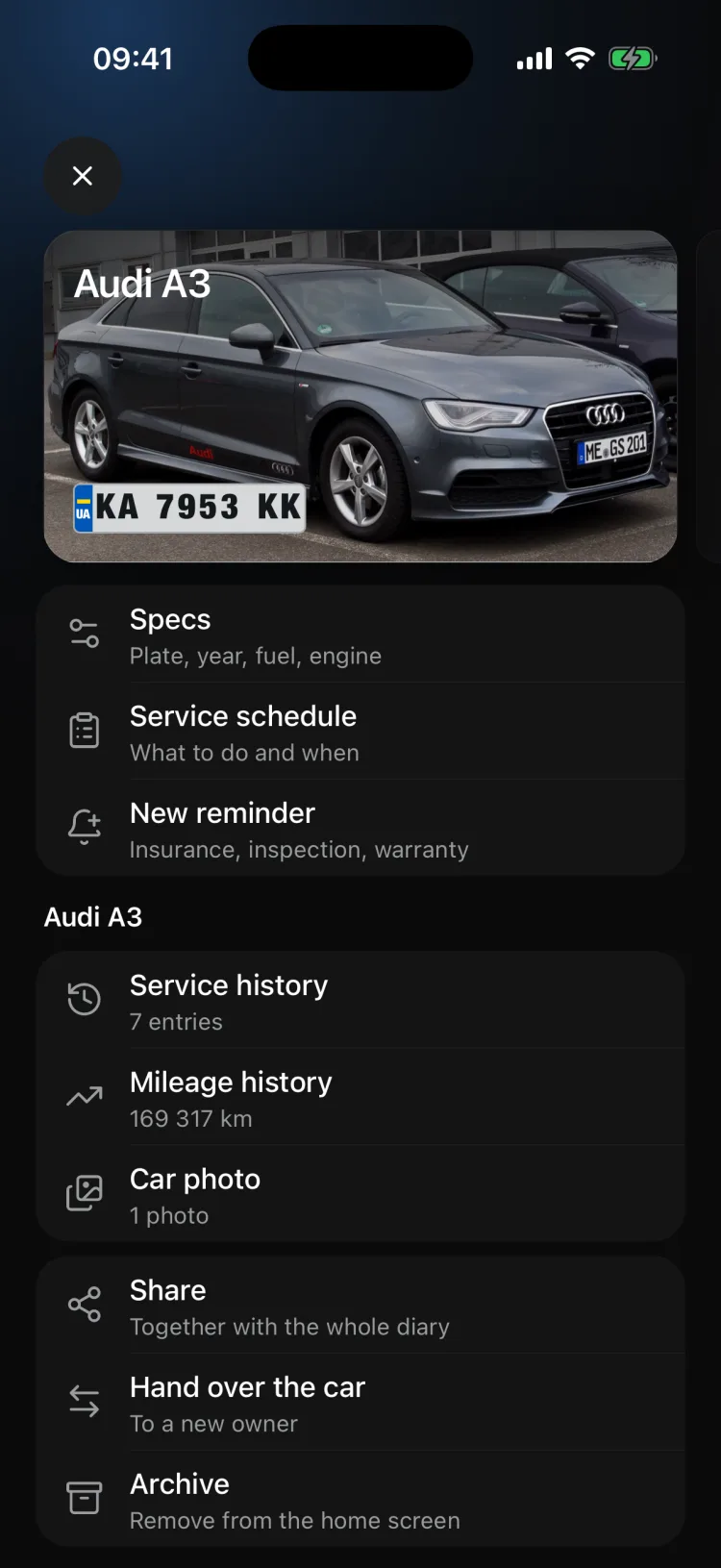
An entry can be edited for 48 hours after it's created, then it is fixed — which is exactly why the history counts for a buyer. Ten entry types, from a fill-up to an insurance policy.
“The mileage on the receipt is blurry. Is it 151,200 or 15,120?” — answer with one tap.
Fields it can't read stay empty. No zeros, no today's date.
“Filled up for 1,200, forty litres of 95 at OKKO.” Only the text goes to the server, never your voice.
jpg, png and pdf. A scanned garage invoice is attached to the same entry.
We'll try to fill in make, model, year, VIN and body type from Ukraine's vehicle register. You can also go by VIN or pick from a catalogue of 387 makes.
The entry appears by itself: amount, date, mileage, station or garage, and a list of items. Or just dictate it.
The service schedule counts down by mileage and by months. Reminders arrive before it's too late.
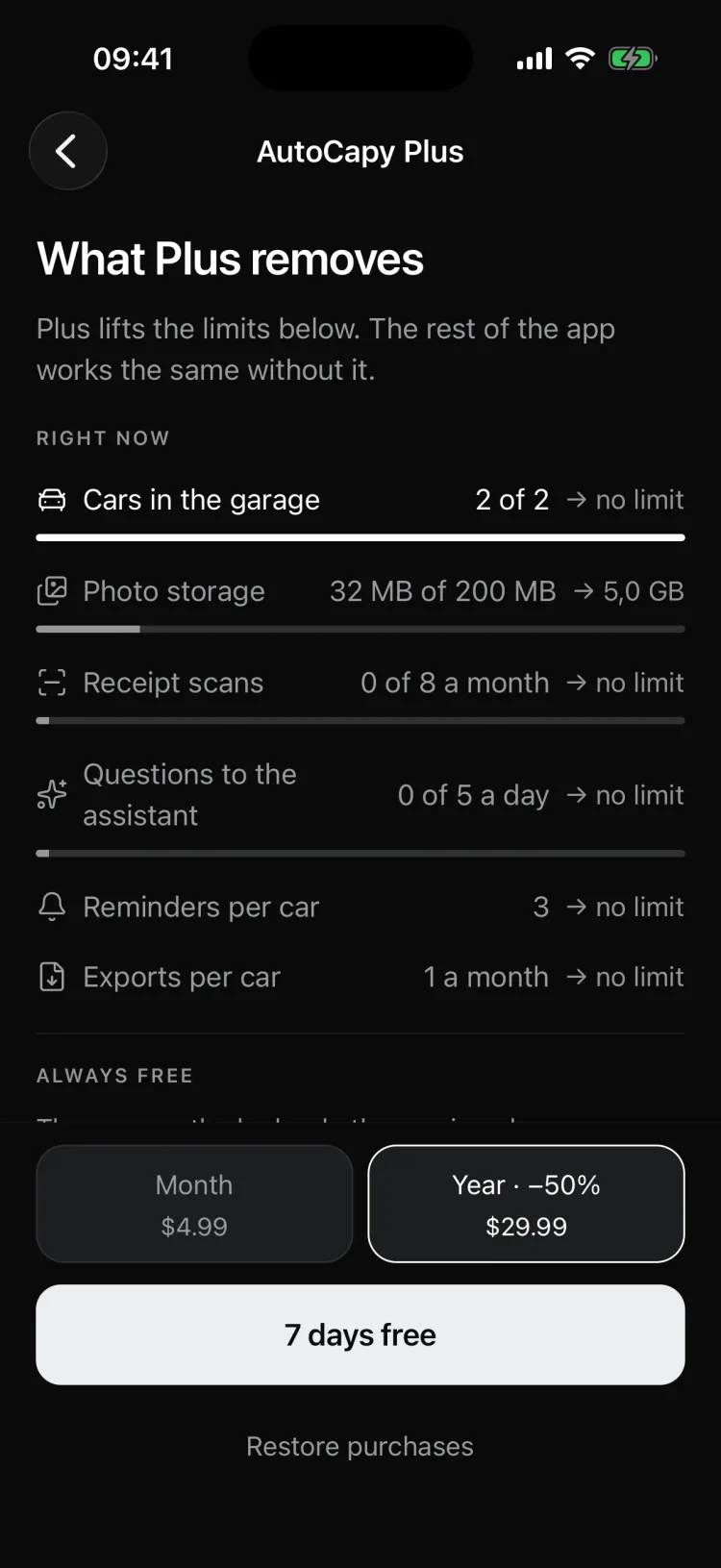
Garage, log, service schedule, reminders and spending work without a subscription. A car over the limit doesn't disappear — it switches to “view only”.
Monthly or yearly — yearly works out cheaper. The first 7 days are free; the store shows the price.
No. You enter the data, or it's read from a receipt. The app doesn't use any telematics.
With Apple or Google. There's no sign-up by phone, email or password. You can link a second sign-in method to the same garage.
Ukrainian and English. Amounts are shown in hryvnia, dollars, euros or złoty — at the rate on the day of the transaction.
No. The public car page shows photos, specs and jobs with dates and mileage. Amounts aren't shown.
It stays in the garage as “view only”: the history is still there, but new entries can't be added. Which car stays active is decided by the order in the garage.
Within 48 hours of creating it. After that the entry is fixed — a future buyer will be reading this log.
We'll take make, model, year and VIN from Ukraine's vehicle register. Sign in with Apple or Google, no passwords.

We use cookies to make the site better. Learn more